Stats
Stats is the listening dashboard: top artists, albums, tracks, and time spent, scoped to a range.
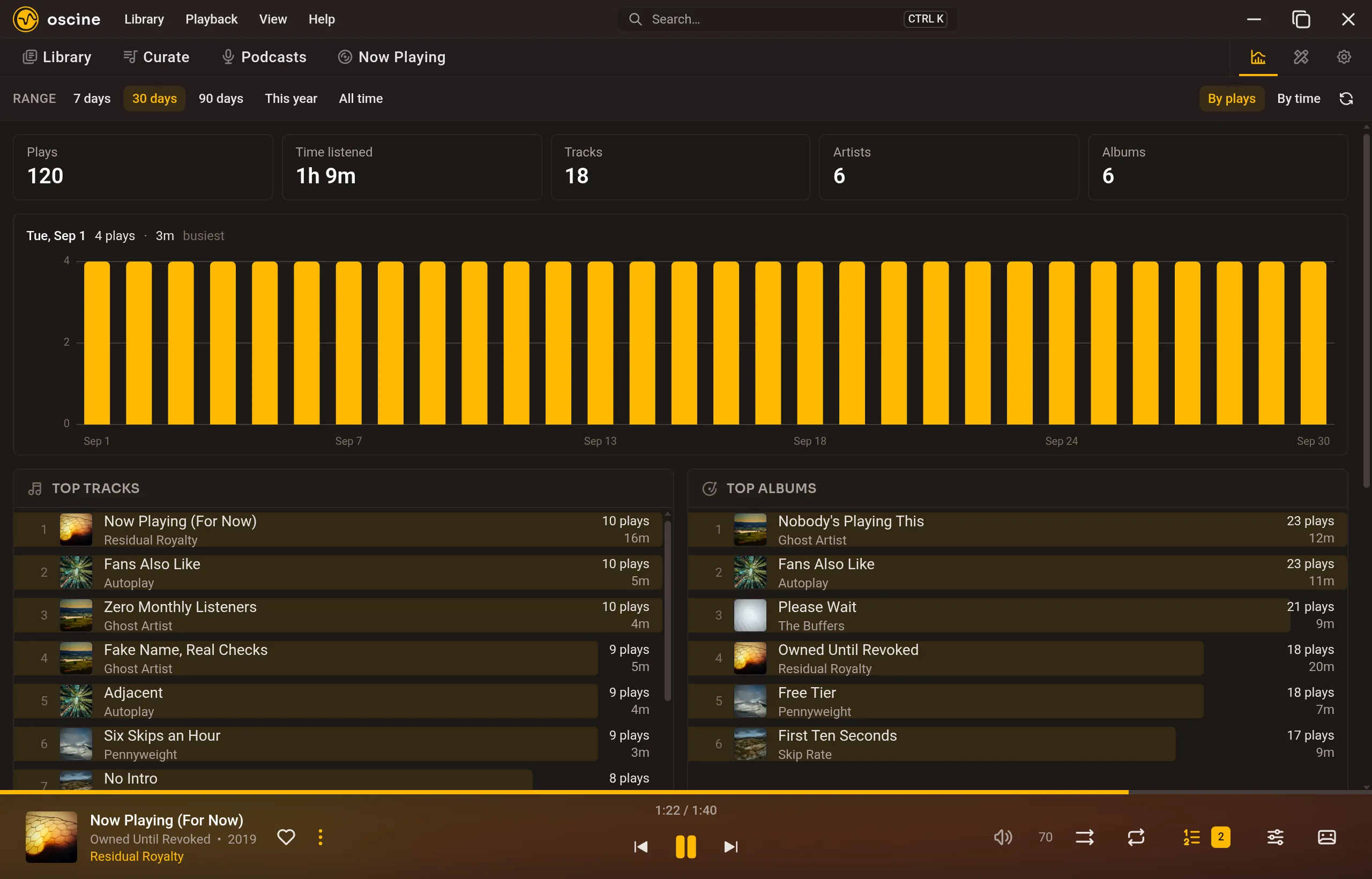
A play counts once you have heard half the track or four minutes of it, whichever comes first. Paused and seeked-over time does not count. Totals follow the tags as they were when you listened, so a later rename does not rewrite last year.
The log is local. It is meant to survive a folder reorganize. It is not a Wrapped-style retrospective; it is a dashboard you can keep open.
Favorites
Favorites (the heart on a song) are local. Last.fm loved tracks are never pulled in. If you connect Last.fm, hearting a song can push a love the other way. That is an optional one-way push, not a background sync.
Scrobbling
Connect Last.fm, ListenBrainz, or both, in Settings → Network. A play that crosses the same threshold the dashboard counts is queued and sent: the artist, title, album, album artist, and when you listened. Oscine also announces the current track as "now playing" while it is on, which is what the service shows as playing.
The queue is per service, so a target that is offline or signed out holds its plays and sends them when it can — nothing is dropped. Loves are Last.fm only; ListenBrainz has no loved-track concept for Oscine to push to, so hearts go nowhere there.
Last.fm signs you in through your browser once; ListenBrainz takes a user token you paste from your account. Either can be paused on its own, which freezes its queue rather than discarding it.
Discord
As of 1.1, Oscine can show what you're listening to on your Discord profile. Turn on Show what you're playing on Discord in Settings → Network, with the Discord app running on the same computer.
Detail to broadcast controls how much people see: the title and artist, just the title, or simply "Listening to music". Status line template lets you word the status yourself with {title}, {artist}, {album}, and {albumArtist}. You can also add a progress bar, choose whether to hide your status or show "Paused" while the music is paused, and turn on Show album art to show the release's cover, looked up on the Cover Art Archive. That last one needs online lookups turned on.