Library
The Library tab is the collection: a sidebar of sources (folders, artists, albums) and a song list that stays fast no matter how much you throw at it.
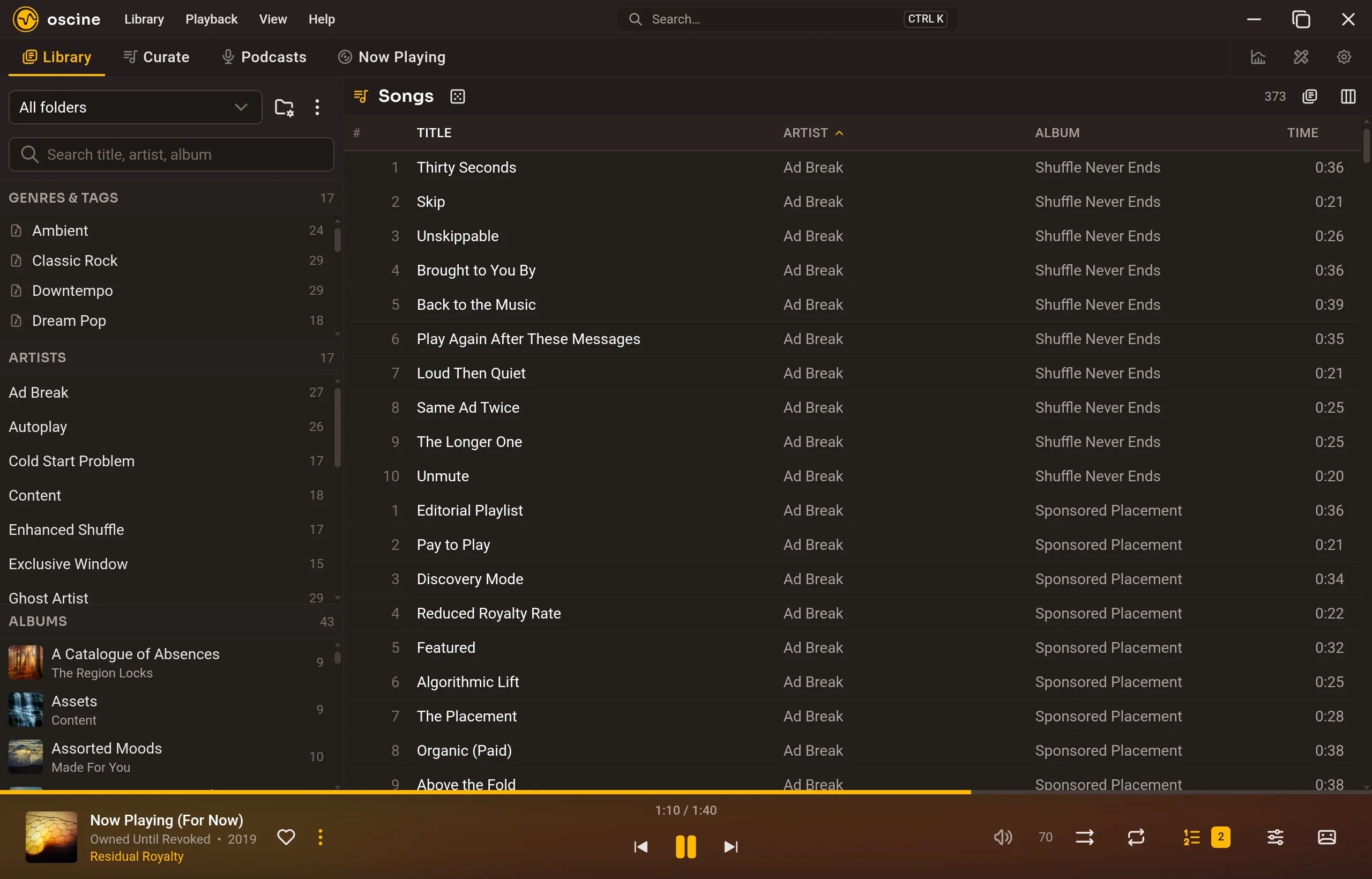
Folders on disk
Oscine does not copy your files into a private store. It indexes paths relative to the folders you named. Move the collection to another machine, remap the folder, and the library still makes sense.
Edits you make in Oscine — tag corrections, favorites — live in Oscine. They do not rewrite the files on disk unless you ask; editing tags covers the review step that does.
Browsing
Filter by folder, artist, or album from the sidebar. Search is substring over title, artist, and album. When you know the name, the command palette is the faster jump.
Columns, grouping, and density
The song list is a table you arrange. The column chooser turns columns on and off — title, artist, album, time, year, format, sample rate, bit depth, size, plays, last played, tags, and more — and any of them sorts. Shift and Ctrl select the way a desktop list should.
Group the list by album for a cover-art header over each record; the header art comes in three sizes. Row density is compact, default, or roomy — compact fits about a third more rows on a screen. Grouping and art size sit in the toolbar; density is an Interface setting.
What a double-click does — play now, play next, queue, or add to the open playlist — is yours to set.
Loudness and format
Oscine plays MP3, FLAC, Ogg Vorbis, Opus, AAC (.m4a), and WAV. ReplayGain is applied when tags exist; untagged tracks can be measured in the background. Crossfade is a duration: zero is gapless.