Curate
Curate is where playlists live, next to Discover — shelves of things to play next, drawn only from your library.
Playlists
Create a playlist, drop tracks in, reorder them. The same song can appear twice. Export to .m3u8 when you need the list somewhere else.
My Favorites sits at the top of the rail. It is a live view over the songs you have hearted, so you cannot delete it by accident the way you can a playlist.
Star a playlist or an artist to pin it in the Quick Menu on Now Playing, within reach while a record is on the Stage.
Discover
Discover reads your files and your listening log and builds shelves from what it finds. There are nine recipes, each with its own angle: Built for you and Deeper into an artist, Almost finished and Worth revisiting, Forgotten favorites and Because you favorited an artist, Guest appearances, Sitting unplayed, and a genre you own and ignore shelf. Each card carries a one-line reason for being there.
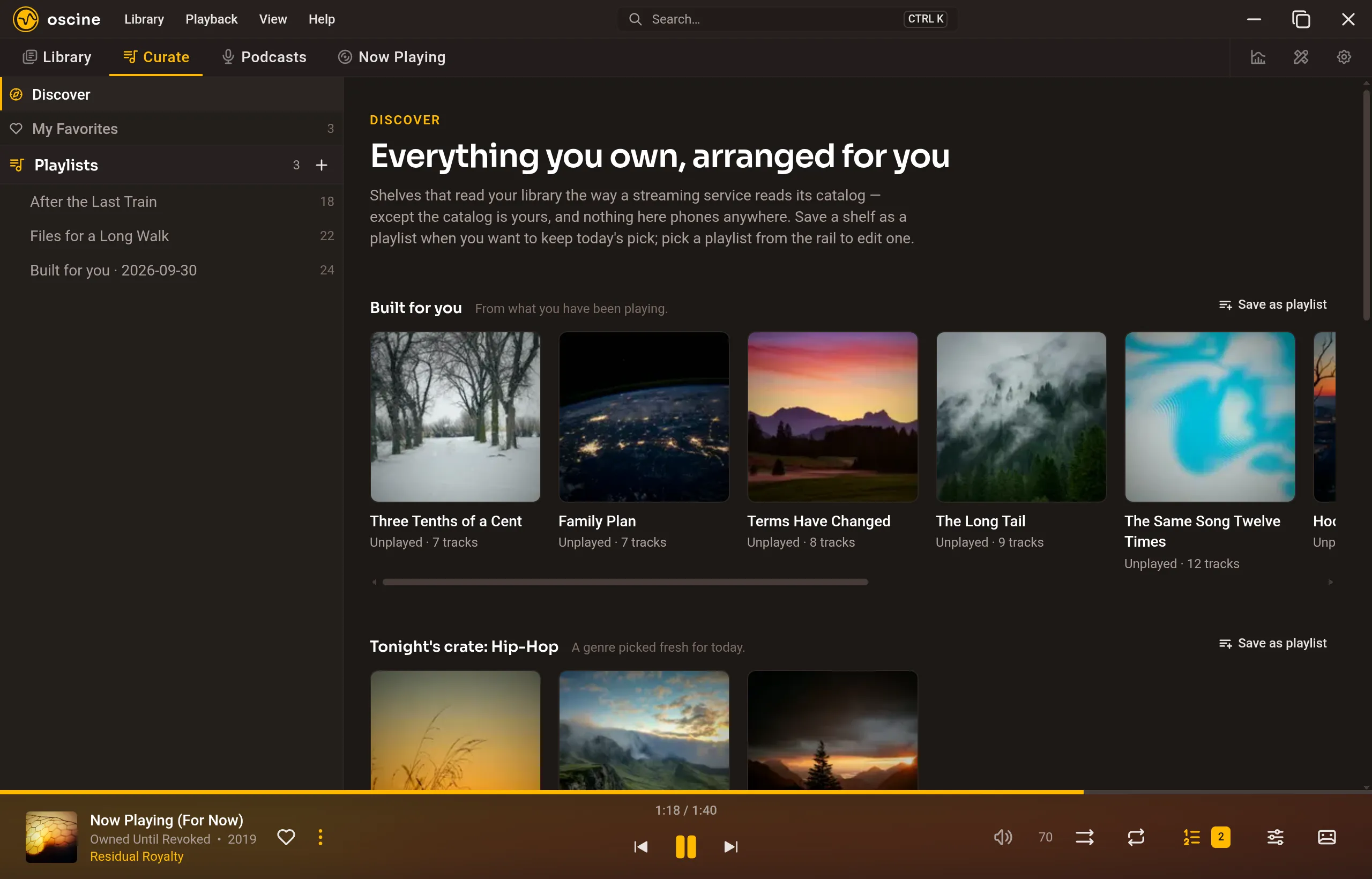
A shelf stays a shelf until you save it as a playlist, and nothing here leaves your machine.
The queue
Up next has two layers. On top is what you queued by hand; below it, the rest of the session you started playing. Shuffle reorders the session, never the tracks you put up by hand. Clearing removes your hand-queued tracks and leaves the session behind them. The queue is for this sitting; playlists are what you keep.